
Best AI Journaling Apps in 2026: 7 Apps Compared
On this page
- The quick answer: our picks by use case
- What is AI journaling?
- How we compared these apps
- AI journal apps compared
- 1. DeepJournal: best for connected memory and confidential AI
- 2. Rosebud: best for a supportive AI companion
- 3. Mindsera: best for structured thinking
- 4. Reflection: best guided AI journaling across devices
- 5. Day One: best established multimedia journal with opt-in AI
- 6. Stoic: best for a daily reflection routine
- 7. Reflectly: best for lightweight mood-led journaling
- Research and the emerging split in AI journaling
- How to choose
- Frequently asked questions
- What is the best AI journaling app?
- Does AI read my whole journal?
- Does “not used for training” mean private?
- Can an AI journal replace therapy?
- Can I move my journal later?
- Methodology and disclosure
AI journaling is no longer one category. One app may turn a voice note into a guided conversation; another may find a pattern across several years of entries. A third may simply make the blank page less intimidating.
That means there is no honest single winner. The best AI journal is the one whose kind of help, platform support, price, and privacy boundary match the way you actually want to write.
The quick answer: our picks by use case
- DeepJournal is the pick for connected memory and confidential AI on Mac or Windows.
- Rosebud is the pick for warm, back-and-forth reflection.
- Mindsera is the pick for structured thinking frameworks and many analysis modes.
- Reflection is the pick for guided journaling and coaching across devices.
- Day One is the pick for a mature multimedia journal with opt-in AI tools.
- Stoic is the pick for a short, repeatable daily practice.
- Reflectly is the pick for lightweight, mood-led journaling.
None of these apps is a therapist, diagnosis tool, or emergency service. AI can ask a useful question or retrieve a forgotten entry; it can also miss context, sound overconfident, or give a generic answer. Keep your own writing—not the model’s interpretation—as the source of truth.
What is AI journaling?
AI journaling is journaling software that uses a language model or related system to work with writing you choose to provide. It may help you start, ask a follow-up question, transcribe speech, summarize an entry, surface recurring themes, or retrieve relevant passages from older entries.
That definition matters because these features make very different promises:
- A prompt generator reduces blank-page friction, but may know little about your history.
- A conversational coach responds while you write and can help you explore one thought further.
- A summary or review compresses a selected period into highlights and themes.
- A memory or retrieval system searches across entries to bring past people, projects, events, and patterns back into view.
The more journal context a feature uses, the more important it is to understand where that context is processed. “Encrypted,” “private,” and “not used for training” are useful claims, but they do not all mean the same thing. Our guide to AI journaling explains those distinctions in detail.
How we compared these apps
We tested seven established consumer apps that represent the main approaches to AI journaling: conversational coaching, structured reflection, connected memory, multimedia life logging, daily prompts, and mood tracking.
We used each product ourselves, focusing on the writing experience, the quality and specificity of its AI help, how it handles older entries, and the points at which it becomes genuinely useful rather than merely impressive. We checked pricing, platforms, and technical claims against the apps’ public pages on August 4, 2026.
We judged the apps on four questions:
- Does the AI make journaling meaningfully better?
- How well does it work with a growing history of entries?
- Is the writing experience a good fit for its stated use case?
- Are its privacy controls, price, and platform reach reasonable trade-offs?
This is a hands-on editorial comparison, not a security audit or clinical evaluation. Prices are public USD prices before tax when a vendor publishes them; regional storefront prices, trials, and plans can change. We do not receive affiliate compensation for these rankings. DeepJournal publishes this article and appears in the comparison, so its limitations are stated alongside its strengths.
AI journal apps compared
| App | Best for | AI style | Long-term memory | Privacy model | Platforms | Price | Main drawback |
|---|---|---|---|---|---|---|---|
| DeepJournal | Connected retrieval | Extraction, retrieval, chat | Journal-wide connected retrieval | Confidential AI; selected E2EE sync | Mac, Windows | Free; Plus $12.99/mo | Desktop only |
| Rosebud | Conversational reflection | Coaching conversation | Personalized conversational context | Encrypted; AI path not detailed | iOS, Android, web | Free; Bloom $9–13/mo | Opaque AI processing |
| Mindsera | Structured thinking | Frameworks and analysis | Recurring topics and summaries | Encrypted storage; backend AI | iOS, Android, web | Free; Genius $11–15/mo | Backend-readable AI |
| Reflection | Guided journaling | Coach, search, reviews | Cross-entry search and reviews | Private-entry AI exclusion | iOS, Android, Mac, web | Free; Premium from $8/mo | AI path not E2EE-documented |
| Day One | Multimedia life log | Prompts, chat, summaries | Selected-entry and multi-entry tools | E2EE storage; selected server AI | iOS, Android, Mac, Windows, web | Free; Gold $75/yr | AI is Gold-only |
| Stoic | Daily practice | Prompts and AI mentor | Lighter pattern and reflection support | Device storage; AI uses OpenAI | iOS, Android, Mac, web | Free; paid plans vary | Less depth across years |
| Reflectly | Mood-led entries | Guided prompts | Limited mood history | Limited public detail | iOS, Android | Free; in-app plans vary | Little technical detail |
1. DeepJournal: best for connected memory and confidential AI
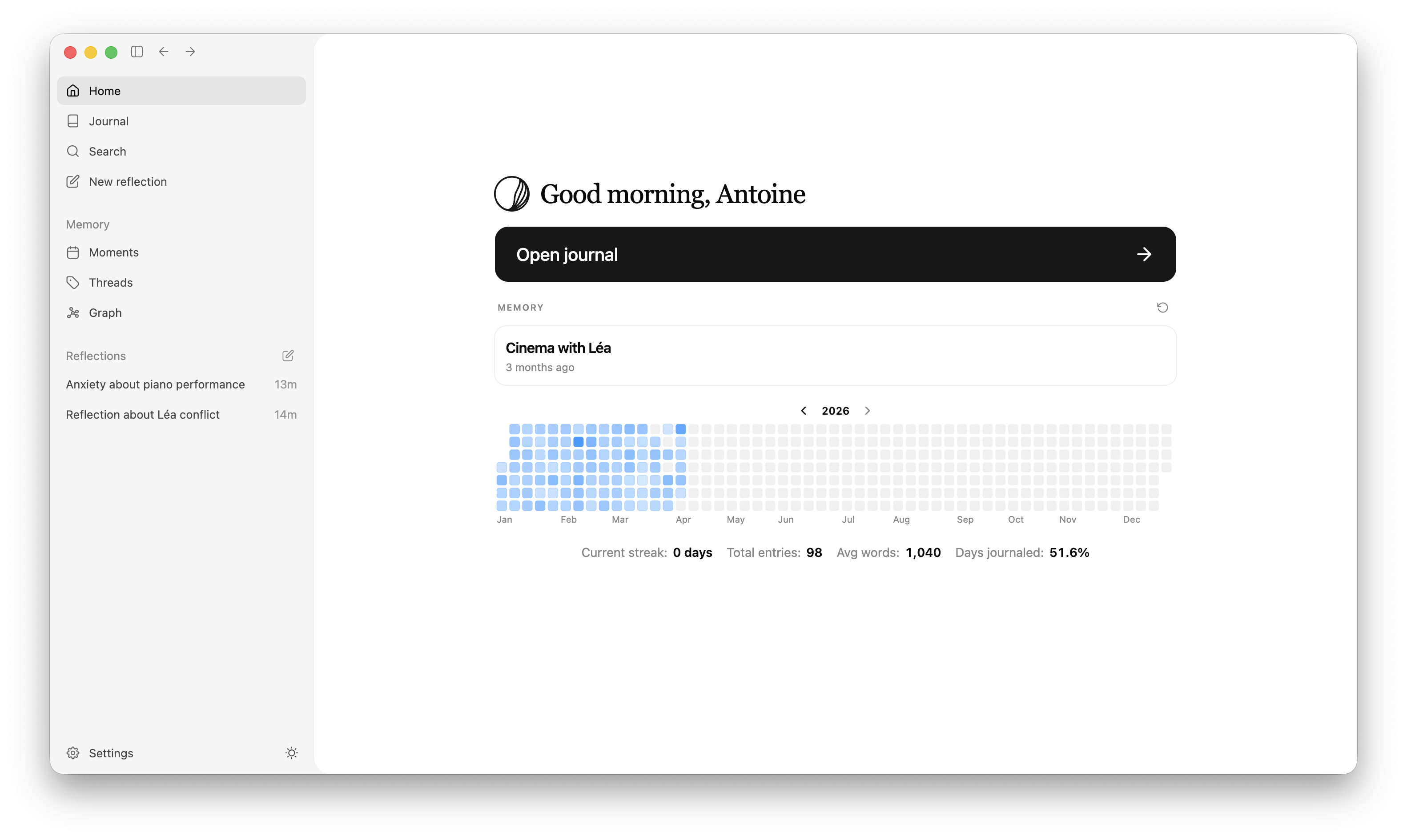
DeepJournal is built for the question that comes after you have journaled for a while: where did I write about that, and what has changed since then? It identifies meaningful moments and can connect them to people, projects, goals, and recurring themes. Search, timelines, graph views, and journal chat can then return to the entries behind an answer.
The privacy architecture deliberately separates storage, syncing, and AI processing. The local database is encrypted while locked; selected synced fields are encrypted on device; and AI request and response bodies are encrypted between the desktop client and an attested confidential-computing enclave. That is not a claim that all operational metadata disappears: account, routing, timing, request-size, model, and usage metadata can still be visible where the service needs it.
Choose DeepJournal if: you write on a Mac or Windows PC and want an AI layer that helps you recover relationships, projects, and patterns across a growing journal.
Consider another app if: you need iPhone or Android capture, want a fully open-source client, or prefer conversational coaching to an evidence-linked journal memory.
2. Rosebud: best for a supportive AI companion
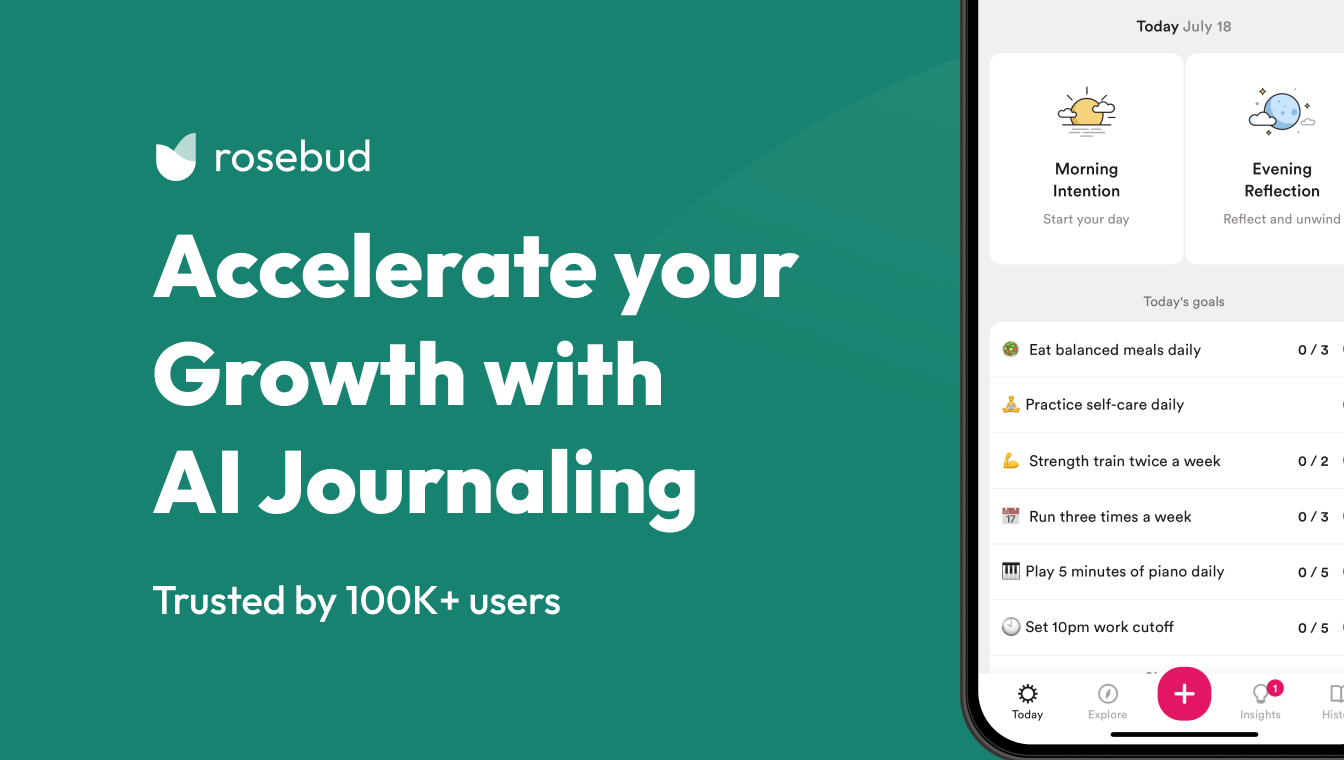
Rosebud makes the conversation the main experience. It responds to an entry, asks follow-up questions, supports speech-to-text, and keeps goals and themes in view over time. Its therapy and coaching page positions the app as a companion between sessions—not a replacement for professional care—which is the appropriate boundary for an AI product that can feel emotionally responsive.
Rosebud publishes a free tier and Bloom pricing of $12.99 monthly or $107.99 annually. Its public pages say journalers can export or delete entries and describe privacy practices, but sensitive writers should read the current policy before enabling AI. Encrypted storage and a no-training commitment, if offered, do not by themselves establish that the inference provider never receives readable text.
Choose Rosebud if: you are more likely to write when a thoughtful question is waiting for you on the other side of the entry.
Consider another app if: you want your journal to remain primarily a quiet archive, or need a precisely documented confidential-AI architecture.
3. Mindsera: best for structured thinking

Mindsera approaches journaling as a gym for thought. Its free tier includes a minimal journal, tags, highlights, a habit tracker, and frameworks; Genius adds conversational prompts, voice journaling, handwriting scans, summaries, recurring-topic detection, and more. It is the strongest fit here for someone who wants a framework—rather than a blank page—to shape the next reflection.
Mindsera is unusually direct about the privacy trade-off. Its terms and privacy page says journal writing is encrypted at rest and in transit, but that its AI systems require backend access. It identifies OpenAI for AI content generation and says content is not used to train or improve models. That is a clear distinction between secure transport and end-to-end encrypted AI processing.
Choose Mindsera if: mental models, cognitive exercises, and multiple ways to analyze an entry are more motivating than a minimalist writing environment.
Consider another app if: your bar is that an ordinary application backend should never receive readable journal text, or too many reflection modes would distract from writing.
4. Reflection: best guided AI journaling across devices

Reflection combines a polished journal with an inline coach, AI-enhanced search and insights, reviews, and more than 100 guided journals. It is one of the broadest cross-platform options, with iOS, Android, macOS, and web support. The free plan covers core journaling; Premium adds unlimited AI writing support, AI-enhanced search and insights, full syncing, and advanced controls.
One especially useful boundary arrived in its 2026 release notes: marking an entry Private excludes it from AI search, insights, themes, and reviews. That is a meaningful choice for writers who want to keep a particular entry out of the AI layer. The public material describes encryption at rest and in transit, but does not provide enough protocol detail to call the remaining AI path end-to-end encrypted or confidential computing.
Choose Reflection if: you want guidance, structured programs, and AI-assisted reviews on whichever device is nearby.
Consider another app if: technical detail about the AI processing path is a non-negotiable buying criterion.
5. Day One: best established multimedia journal with opt-in AI

Day One remains the mature choice for a journal that contains more than text: photos, audio, location, activity, calendar-adjacent moments, and an extensive life history. In 2026, its AI features moved into the Gold plan and include Daily Chat, entry highlights, title suggestions, Go Deeper prompts, transcription, image generation, and selected multi-entry summaries.
Its AI guide is clear about the boundary. AI is opt-in, and it processes only an entry or entries you select. For server AI, selected content is temporarily decrypted on your device and sent over HTTPS to Day One, Automattic, or a third-party service such as OpenAI; it is described as deleted after processing and not used for model training. On supported Apple devices, some features can use Apple Intelligence on device. The distinction is important: end-to-end encrypted journal storage does not mean that selected server-AI input remains end-to-end encrypted during inference.
Choose Day One if: you want the most established multi-device life log and prefer AI as an optional tool inside it.
Consider another app if: you need AI to work over a richer, ongoing memory by default, or you do not want selected text sent to server AI.
6. Stoic: best for a daily reflection routine

Stoic is designed for opening each day, not for managing an archive. It combines morning and evening prompts, mood check-ins, quotes, breathing exercises, guided journals, and reminders. Its free plan has enough structure to try the practice; Premium and Premium AI add deeper personalization.
According to Stoic’s Premium AI documentation, the AI plan uses OpenAI-powered tools for tailored prompts, reflections, pattern analysis, and smarter reminders. Stoic says journals are stored on users’ devices and backed up, but its public documentation should be checked for the precise processing and retention rules that apply when AI features are on.
Choose Stoic if: a clear daily ritual, short prompts, and mood-aware guidance will help you build consistency.
Consider another app if: you want a quiet long-form archive, detailed evidence-linked recall, or a full public description of the AI security architecture.
7. Reflectly: best for lightweight mood-led journaling
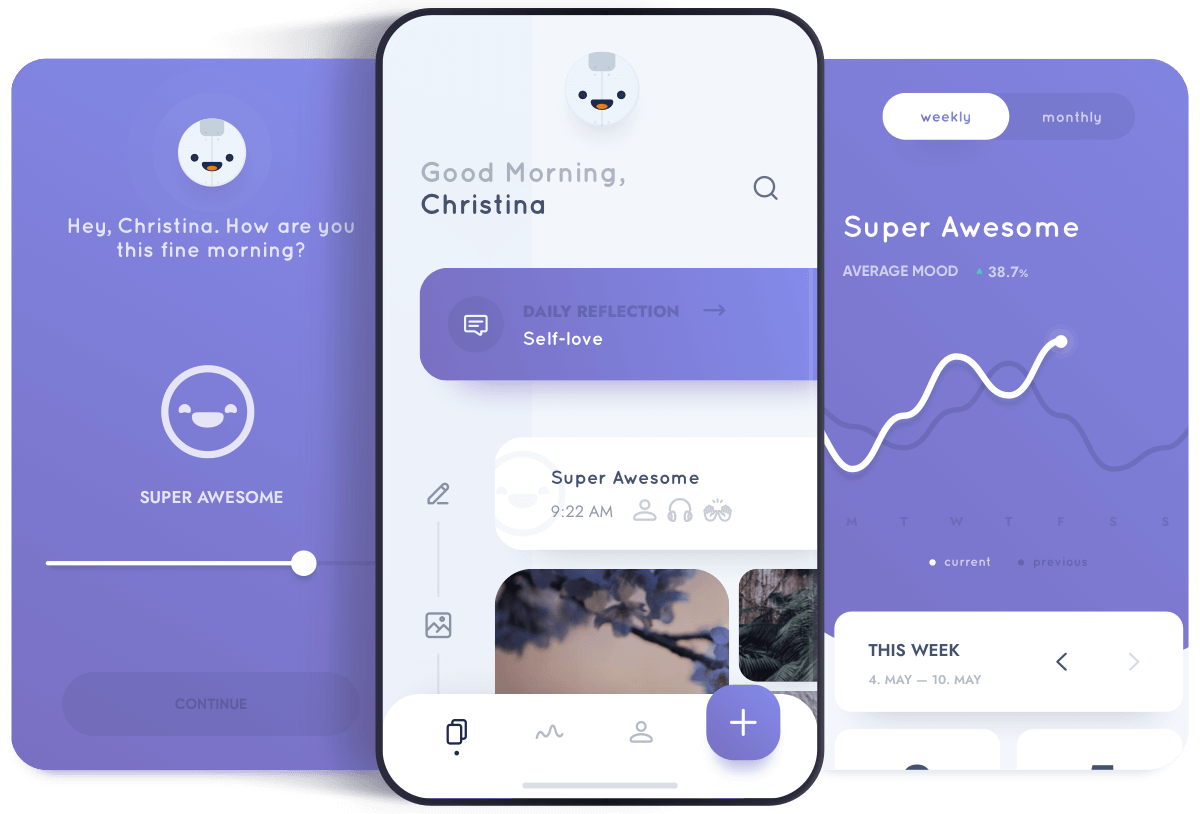
Reflectly is the least demanding starting point in this group. Its visual, mobile-first flow is built around choosing a mood, responding to prompts, and recording a short reflection. For someone who finds an empty editor daunting, that simplicity can be the entire point.
It is also the app for which we found the least current public technical detail. Its terms direct buyers to its storefronts for current pricing and describe paid feature bundles, but do not offer the same level of detail on modern AI features, export, encryption boundaries, or AI processing as the other apps above. A lack of public detail does not prove the product is unsafe; it does mean a privacy-sensitive buyer has less evidence to evaluate.
Choose Reflectly if: your goal is to log how a day felt in a few taps and establish a low-friction habit.
Consider another app if: you want deep retrieval across years of writing, desktop access, or a clearly documented AI and security model.
Research and the emerging split in AI journaling
Research on expressive and positive writing is mixed and context-dependent; it does not establish that AI coaching improves mental health. Treat every app here as a reflection tool, not therapy or clinical support. For the evidence and limits, read Is Journaling Scientifically Proven?.
The biggest product shift is long-term memory. Some apps use history as context for a conversation; others create summaries, patterns, or reviews. DeepJournal is distinct in turning journal-wide retrieval into linked moments and threads. The depth of that memory—not merely whether an app has an “AI” badge—is now one of the most useful ways to compare the category.
How to choose
- Pick the writing experience you will use: a blank page, prompts, a conversation, or a multimedia life log.
- Decide how much history you want AI to use, then test whether its answers are specific and traceable to your entries.
- Check the AI processing boundary and export a test journal before committing sensitive writing.
If confidential processing and cross-entry recall are your priorities, start with DeepJournal. For the privacy decision, see the best private journaling apps.
Frequently asked questions
What is the best AI journaling app?
Choose by use case: DeepJournal for connected retrieval, Rosebud for conversation, Mindsera for frameworks, Reflection for guided coaching, Day One for multimedia history, Stoic for routine, and Reflectly for mood-led writing.
Does AI read my whole journal?
Sometimes. Day One processes selected entries, while apps with reviews, pattern analysis, or journal-wide retrieval may use more history. Check each feature’s scope and exclusion controls before enabling it.
Does “not used for training” mean private?
No. It means content is not used to improve a model; an app or provider may still receive readable text to generate a response. Ask where decryption happens and how long requests are retained.
Can an AI journal replace therapy?
No. It can support reflection but is not therapy, diagnosis, or crisis care. Pause and seek appropriate human support if writing or an AI response increases distress.
Can I move my journal later?
Export support varies. Make sample entries, export them, and confirm the text, dates, media, and tags remain useful outside the app before building a long-term archive.
Methodology and disclosure
We tested every app in this comparison ourselves and checked public product, pricing, help, privacy, and release-note pages on August 4, 2026. DeepJournal publishes this article and is included in it; we do not accept affiliate payments for the rankings. This is a hands-on comparison, not a security audit or clinical study. Features, prices, and policies can change, so use the linked sources before adding sensitive writing to any service.